
LIMS for Chromebook: Web-Based Lab Management Software
Access your complete lab information system through Chrome OS without any installations or complications.
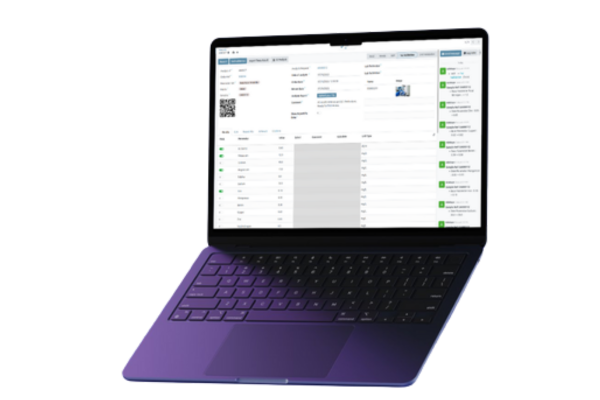
Why Labs Switch to a Web-Based LIMS
- Still relying on spreadsheets and paper?
- IT maintenance overhead consuming your budget?
- Software incompatible with Chromebooks?
- Struggling to track samples accurately?
- Constant software updates disrupting lab work?
- Security concerns with traditional desktop LIMS?
- Need remote access for hybrid work scenarios?

Access Your LIMS Online in Seconds, From Any Browser
- Open Chrome browser on any Chromebook
- Log in to your LIMS portal
- Access all lab functions immediately
- Data synchronises automatically with the cloud environment
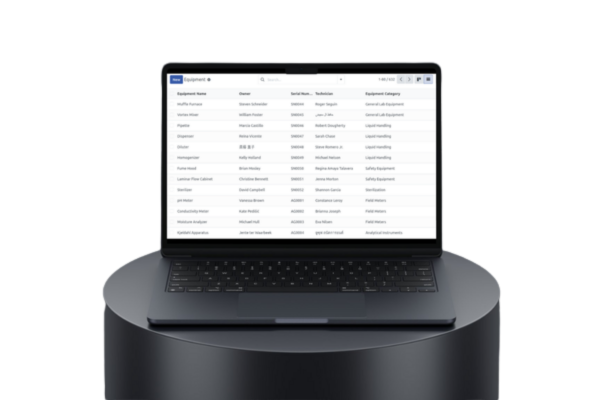
Everything You Need in a Web-Based LIMS System
Sample Management
End mislabeling and lost samples
Quality Control
No bottlenecks, faster approvals
Compliance & Audits
Support inspection readiness with secure audit trails
Chromebook Ready
Seamless access on any device
Reporting & Analytics
Instant reports, clear lab insights
Workflow Automation
Eliminate repetitive manual processes
Frequently Asked Questions
Can our existing lab instruments connect to a browser-based LIMS?
The LIMS can connect to supported laboratory instruments through secure APIs and applicable protocols such as HL7 or ASTM. Compatible equipment can transfer results without software being installed on the Chromebook; depending on the instrument interface, a server-side connector or gateway may be required.
How do we ensure data security and regulatory compliance on Chrome OS?
Chrome OS provides enterprise-grade security with automatic encryption and regular security updates. The LIMS provides configurable electronic signatures, audit trails, access controls and data-integrity features that can support applicable 21 CFR Part 11, ISO/IEC 17025 and HIPAA requirements. Compliance depends on the laboratory’s procedures, validation, configuration and use. All data is encrypted both in transit and at rest.
Can our lab staff access the LIMS remotely for approvals and reviews?
Absolutely. Since it’s browser-based, authorized staff can securely access the LIMS from any location using any device with Chrome browser. Lab managers can review and approve results from home, QC heads can monitor testing progress remotely, and technicians can access SOPs and protocols from anywhere in the facility.
How does this compare to our current Windows-based LIMS in terms of performance?
Browser-based LIMS typically runs faster than traditional desktop software because it doesn’t consume local system resources. Chromebooks boot in seconds, the LIMS interface can load quickly, and there’s no lag from background processes or antivirus scans. Plus, you eliminate the time spent on software updates and IT maintenance that Windows-based systems require.
How do we handle multiple lab locations with this system?
Since it’s cloud-based, all your lab locations can share the same LIMS instance while maintaining separate data permissions as needed. You can track samples across sites, standardize testing procedures company-wide, and generate consolidated reports. Each location can have its own user access controls and approval workflows.
Ready to Streamline Your Lab Operations?
See how LIMS on Chromebook eliminates IT headaches and gets your team focused on what matters.